To view linked processes
- Go to the Project Processes.
- Filter for the primary process type you want to view.
- Click the process number or subject of the process you want to view.
- You have the option to take any of the following actions:
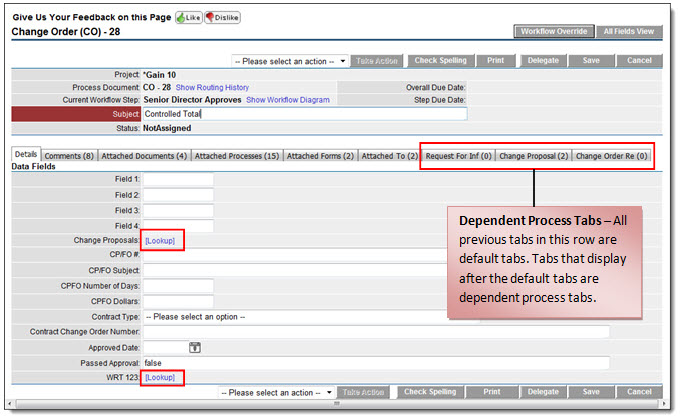
- Click the Lookup links to attach a data field that supports the primary process, i.e. select from a list of proposed change orders.
- Click any of the dependent process tabs to add a new dependent process or attach existing dependent processes.
The process details page displays with tabs of dependent processes.