Edit Folder Subscription for Users
There are two types of folder subscriptions; instant and daily, and you have the choice to select one or both. Instant subscriptions send an email notification just as soon as there is any activity in folder. Daily subscriptions will send you a daily email. Additional modifications can be made by adding/ removing yourself from the subscription, modifying the subscribers list or including/ removing subfolders.
To edit folder subscription for team members
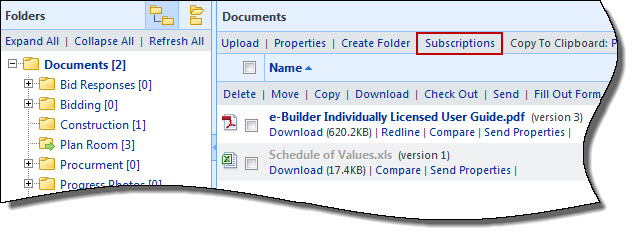
- Go to the Project Documents page.
- Select the folder you want to modify the subscription for.
- Click Subscriptions.
- You can take any of the following actions:
- To subscribe yourself, select the Subscribe Myself check box.
- To add or remove groups, roles or individuals, click the appropriate directional arrow to move users to the appropriate box.
- To include subfolders, select the Include Subfolders check box.
- To change the subscription type, select the Daily Summary and/or Instant Notification check box.
- Click Subscribe.
For more information, see Access Project Documents Page.
The Folder Properties Subscriber window is displayed.
An instant notification will send users an email whenever a new file is uploaded to the folder, a new version of a file is created, a file is deleted, or if a file is redlined. A daily summary will send a recap of everything that has happened during the previous day.